Is a premium standing desk worth it? My budget desk vs. UPLIFT
A long-term ownership comparison of a budget SHW standing desk and a premium UPLIFT desk, focused on the parts that shape daily use: surface, edge comfort, controls, stability, and fit.
Updated 2026-09-04
Current Recommendation
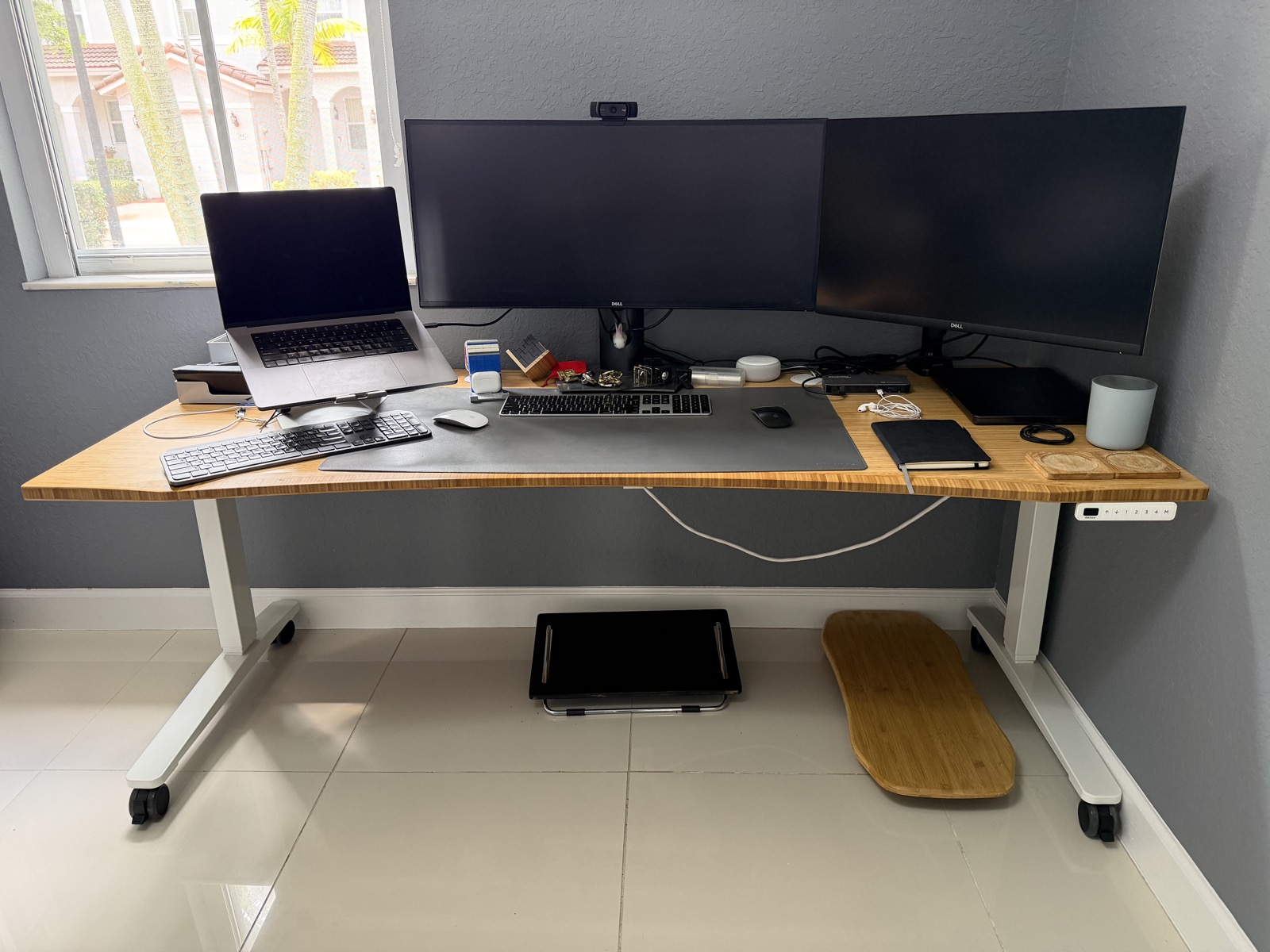
If the desk is for a main work area where you spend more than eight hours a day, I would pay attention to the parts you live with: the desktop, front edge, controls, and stability at standing height. My budget SHW desk still works well after being purchased in June 2020, so it was not a mistake. But after buying and using a 72 x 30 inch / 183 x 76 cm UPLIFT V2 C-Frame with a 1 inch / 2.5 cm Bamboo Curve top in October 2022, I think the premium desk is worth it because it is the desk I would rather touch, adjust, and work on all day.
Quick Comparison
| Product | Role | Checked Price | Desktop | Height Range | Controls / Warranty | Note |
|---|---|---|---|---|---|---|
| UPLIFT V3 Bamboo Standing Desk | My pick for a main workstation | About $949 for 72 x 30 in Curve Bamboo before options/promos when checked | 72 x 30 in / 183 x 76 cm 1 in / 2.5 cm Curve Bamboo configuration available | 22.6-48.7 in / 57-124 cm listed for current V3 Bamboo desk | More refined controls; 15-year warranty advertised | UPLIFT lists a 355 lb / 161 kg lift rating for the current V3. The premium value is not just lifting; it is the surface, front curve, controls, and stability at standing height. |
| SHW 55 x 28 inch standing desk | Budget desk I own | Budget-tier Amazon listing | 55 x 28 in / 140 x 71 cm laminated MDF-core top on my unit | 28-45 in / 71-114 cm listed for this SHW model | Four memory positions; SHW stated one-year warranty in research notes | The 62.4 lb / 28.3 kg desk's mechanism still works well after more than six years. The compromise is the two-piece top, center join, and squared front edge. |
| FlexiSpot E7 | Researched value alternative | Configuration-dependent | Accepts 47.2-80 in / 120-203 cm wide tops; bamboo options available | 22.8-48.4 in / 58-123 cm listed on product page | Dual motor; 355 lb / 161 kg max static load; 15-year warranty advertised | Strong on paper, but I would not describe surface feel or stability as equivalent without hands-on testing. |
Who This Is For
- People deciding whether to buy a budget standing desk or spend more for a configurable premium desk.
- Remote workers setting up a dedicated office rather than a temporary workstation.
- People buying a desk for full workdays, even if they started by comparing motors, sizes, prices, and warranties.
- People who already own a functional budget frame and are wondering whether the weak point is the desktop, not the motor.
How I Know This
I still own both desks in different locations. The SHW was bought in June 2020 for a pandemic work area where I could keep an eye on kids doing virtual school. The UPLIFT V2 C-Frame with a 72 x 30 inch / 183 x 76 cm Bamboo Curve desktop was bought in October 2022 for a dedicated home office where I often sit or stand at the desk for more than eight hours a day. Both lifting mechanisms still work well. The difference I notice is the UPLIFT's better design, better controls, stronger frame feel, and greater stability at standing height, plus the much more comfortable rounded bamboo front edge.
The short answer
The thing I would pay for in a standing desk is not only the motor. It is the part I touch and look at all day.
My SHW desk was a good pandemic purchase. I bought it in June 2020, used it in a spot where I could work while watching the kids during virtual school, and it still works well. For an average person, the lifting mechanism is good enough.
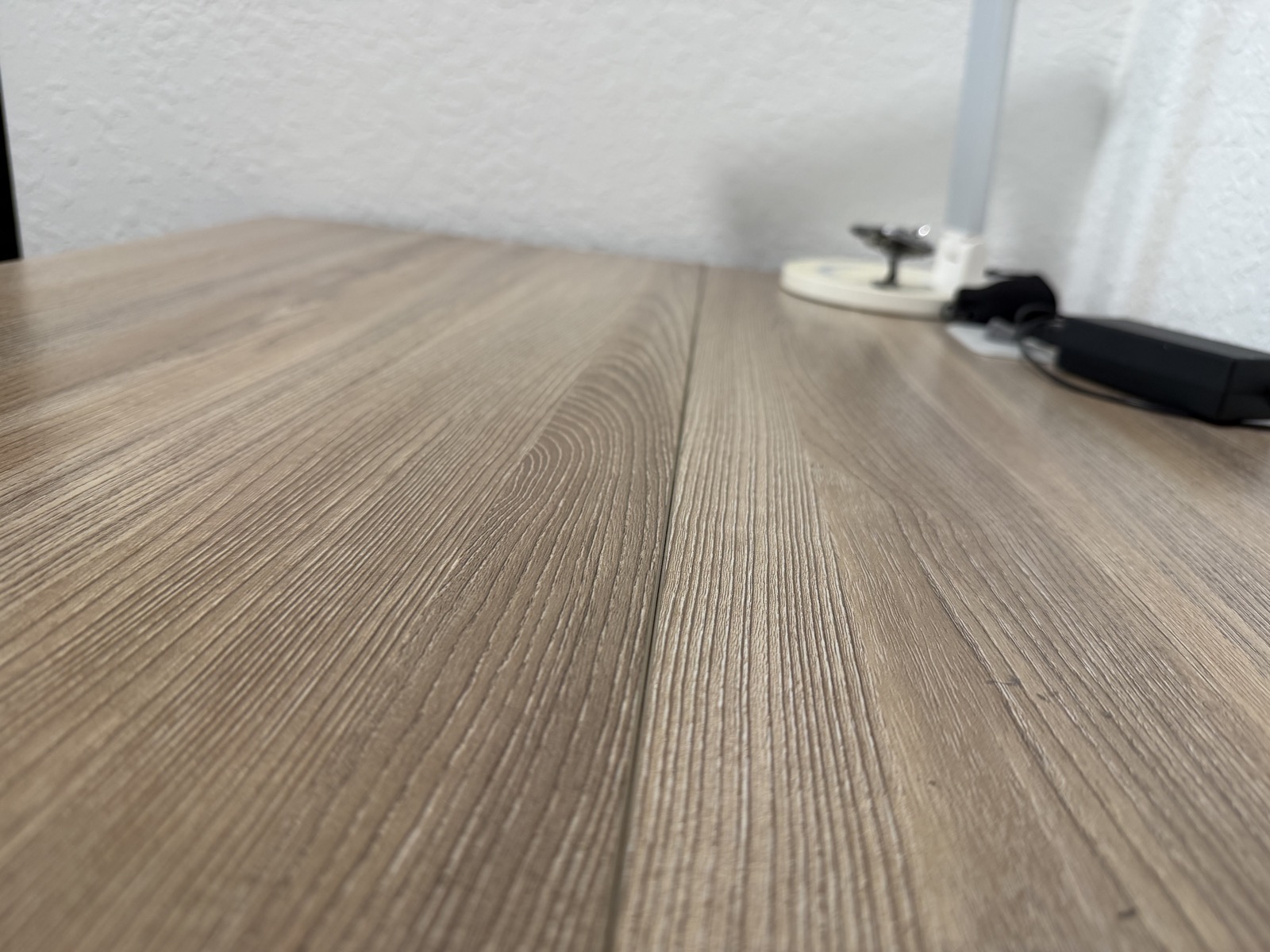
The part that made me choose differently later was the desktop. My SHW top is a two-piece MDF-core laminate surface joined lengthwise, with a visible center join and a front edge that feels too squared off under my forearms.
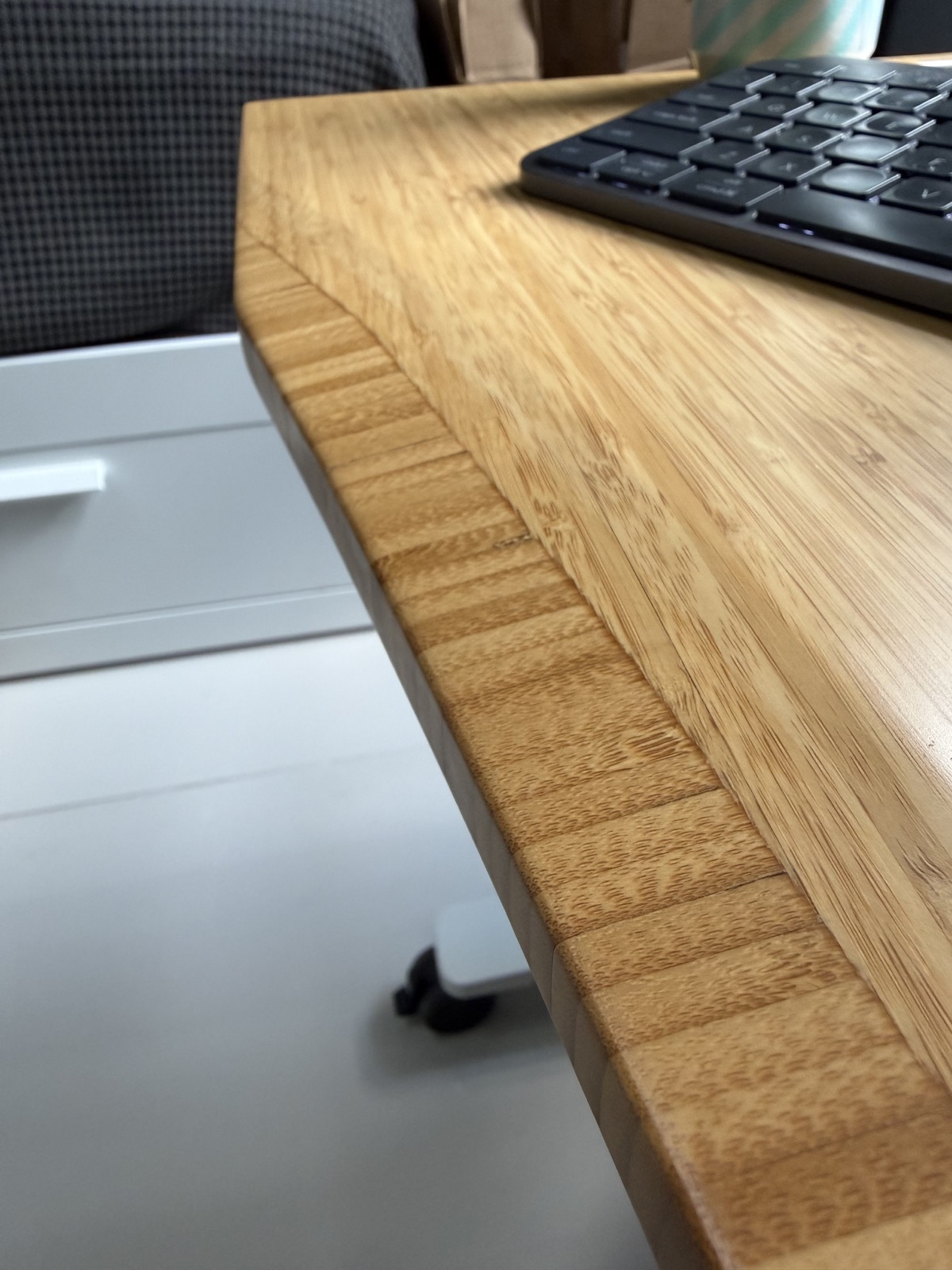
When I later set up a dedicated office, I bought an UPLIFT V2 C-Frame in October 2022 with a 72 x 30 inch / 183 x 76 cm Bamboo Curve desktop. That desk also still works well, but it feels like the better-designed object: better controls, a more robust frame, and more stability when standing. The rounded bamboo front edge is the daily comfort difference.
What you touch all day
The biggest difference between these desks is not the motor. Both still raise and lower reliably. The difference is the part I live with for more than eight hours a day: the desktop surface, the front edge, the controls, and how solid the desk feels when I am standing and working.
That can sound minor when you are shopping from a spec sheet. But a desk is not a number you check once. It is the surface your hands, wrists, keyboard, mouse, monitor, notebook, coffee, and attention sit on all day.
That is the buying pattern I care about here: the spec sheet gets you to a shortlist, but the thing that defines ownership is often the daily contact point. With a standing desk, the motor matters; the surface and edge are what I actually feel.
The better buying question
The obvious question is whether a premium standing desk is worth the extra money. I think the better question is more specific: where will you notice the money every day?
If the desk is temporary, small, or only used occasionally, a budget electric desk can be completely rational. Mine proves that. It has lasted, it still raises and lowers, and it fulfilled the job I bought it for.
But if the desk is your main workstation, surface quality becomes hard to separate from comfort. You rest your hands on it. Your forearms cross the front edge. You look at it for hours. You arrange monitors, laptop stands, notebooks, chargers, and small tools around it. The desktop is the interior of the car, not the paint on the outside. It is also a little like a mattress: when something supports you for many hours, comfort can justify paying more.
What the SHW got right
The SHW desk should not be dismissed just because I prefer the UPLIFT. That would be the wrong lesson.
For a budget standing desk, the SHW did the important basic job. It gave me an adjustable work surface during a strange work-from-home period, and years later the mechanism still works well. If your budget is tight or the desk is going into a secondary space, that matters.
The useful warning is narrower: a budget desk can have an adequate frame while economizing on the top. That is where my SHW feels cheaper in actual use.
Where the budget top shows
The center join is not a functional disaster, but I notice it because it sits in the middle of the surface I use. The surface is doing its job, yet it feels like a product built to hit a price.
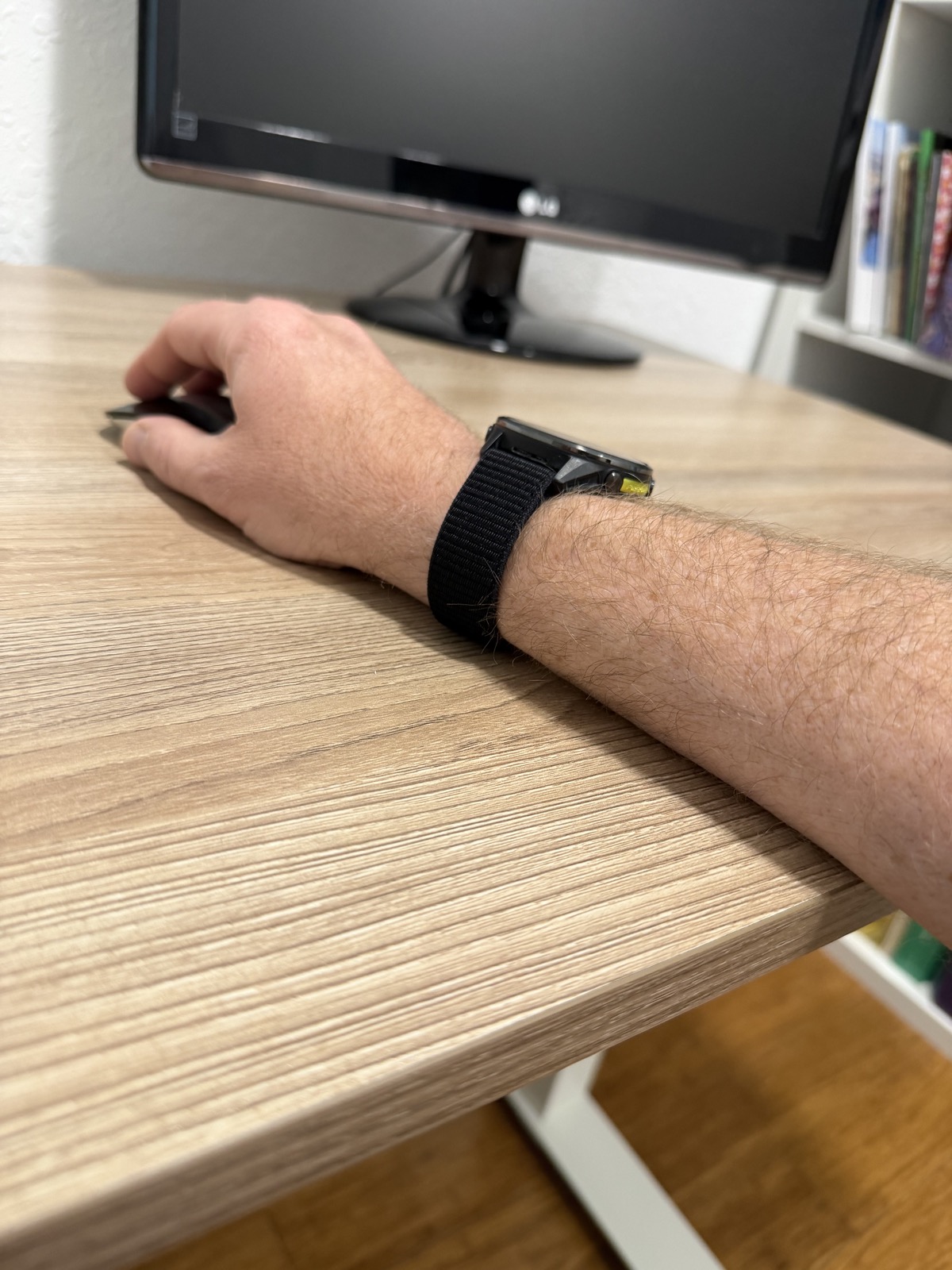
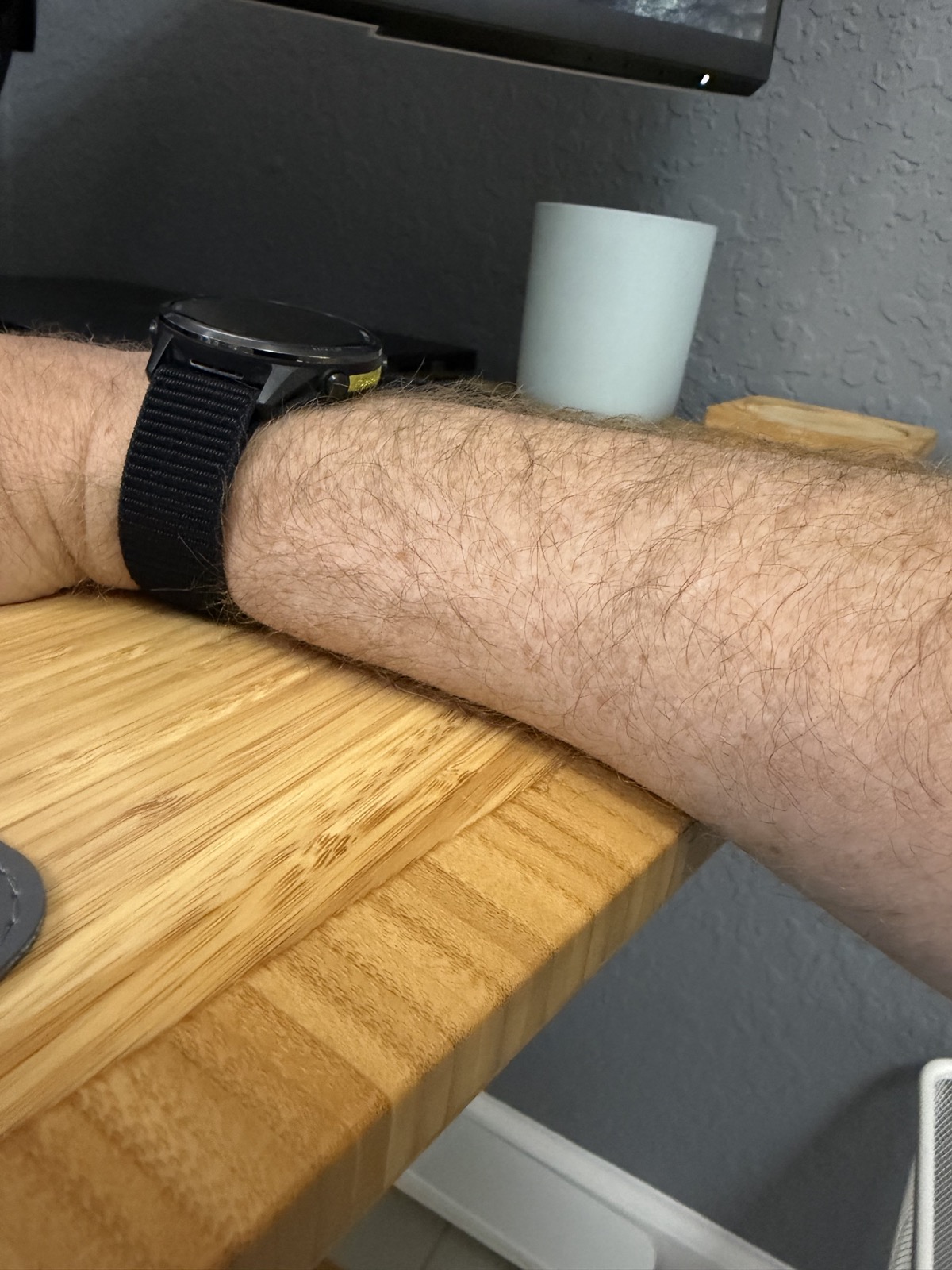
The sharper front edge matters more. OSHA's workstation guidance specifically calls out avoiding sharp leading edges where arms contact work surfaces. That matches my experience: when my forearm crosses the SHW edge, I feel the edge instead of forgetting about the desk.
Why the UPLIFT feels better
The UPLIFT improvement is not one spec. It is the combination of a larger one-piece-feeling bamboo surface, a curved front, a rounded edge, better controls, and a frame that feels more robust.
The stability difference is especially noticeable at standing height. Both desks move up and down well, but the UPLIFT feels more solid when raised with a real office setup on top.
The controls also matter more than I expected. Standing desks are only useful if changing height feels effortless enough that you actually do it. The UPLIFT controls are simply better to use.
Size and fit matter before brand
My UPLIFT is much larger than my SHW: 72 x 30 inches / 183 x 76 cm versus 55 x 28 inches / 140 x 71 cm. That comparison is not perfectly controlled, and the article should be honest about that.
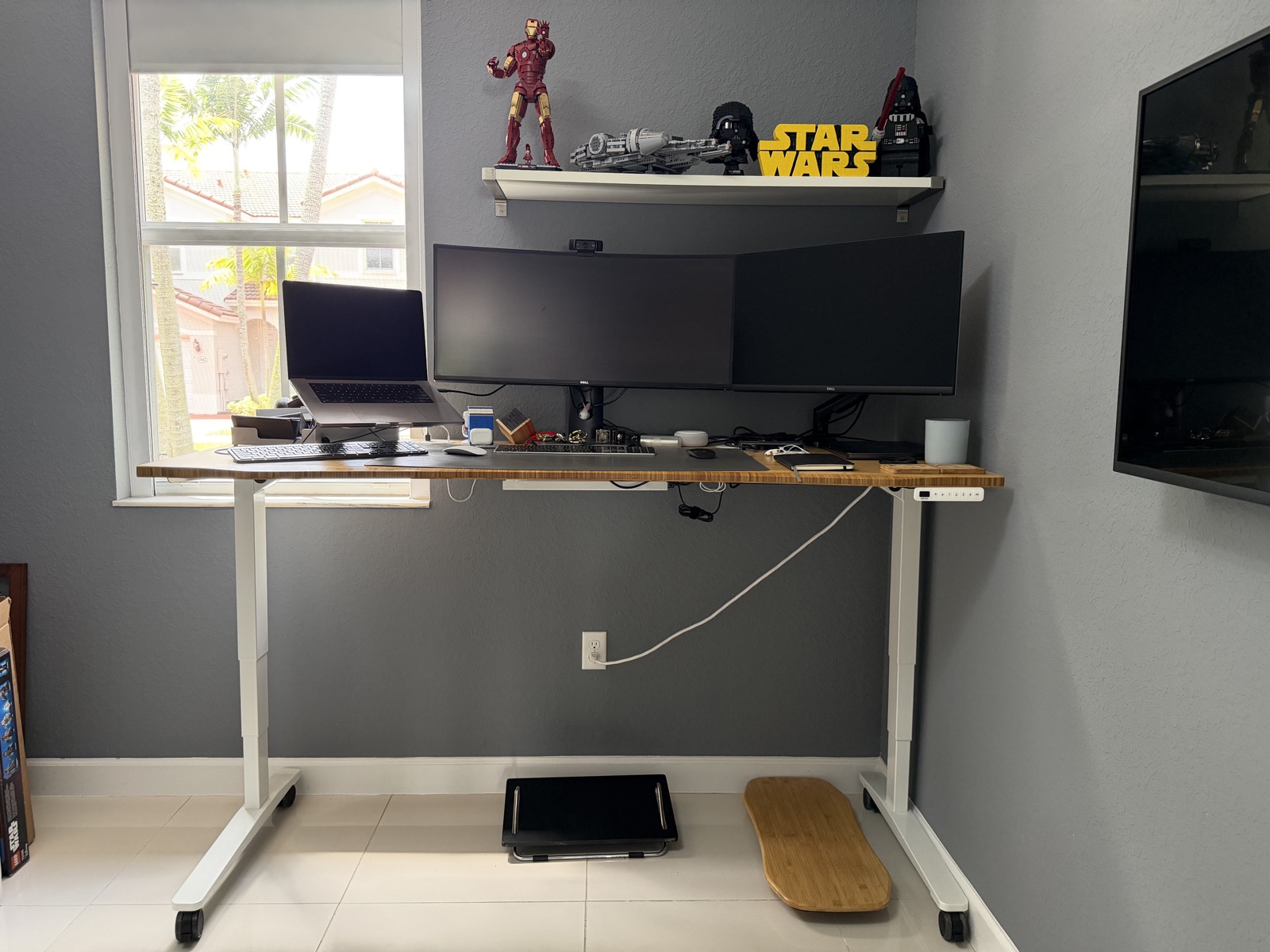
The larger surface helps because I use multiple monitors, a laptop stand, a keyboard, a mouse, a mat, small accessories, and sometimes paper or tools. OSHA's workstation guidance also supports enough desk depth to keep a monitor at least 20 inches / 51 cm away from your eyes.
A 72 x 30 inch desk is not automatically better if it overwhelms the room. Before spending more, measure the space, chair movement, walking clearance, monitor depth, and the desk's lowest seated height. A premium desk that does not fit your body or room is still the wrong desk.
Cable slack is not a defect
In the UPLIFT photos, the white cable is not an aftermarket mistake. It is the original main power cable that came with the desk.
A standing desk cable has to move with the desk. That means it needs slack for the full sitting-to-standing travel. Good cable management should organize the slack, not pull it tight enough to restrict movement or stress the plug.
That is a small real-world point worth keeping in the article because showroom photos often hide the practical mess of height-adjustable furniture.
Replacing only the top
If you already own a budget frame that still works, replacing the tabletop can be a sensible middle path.
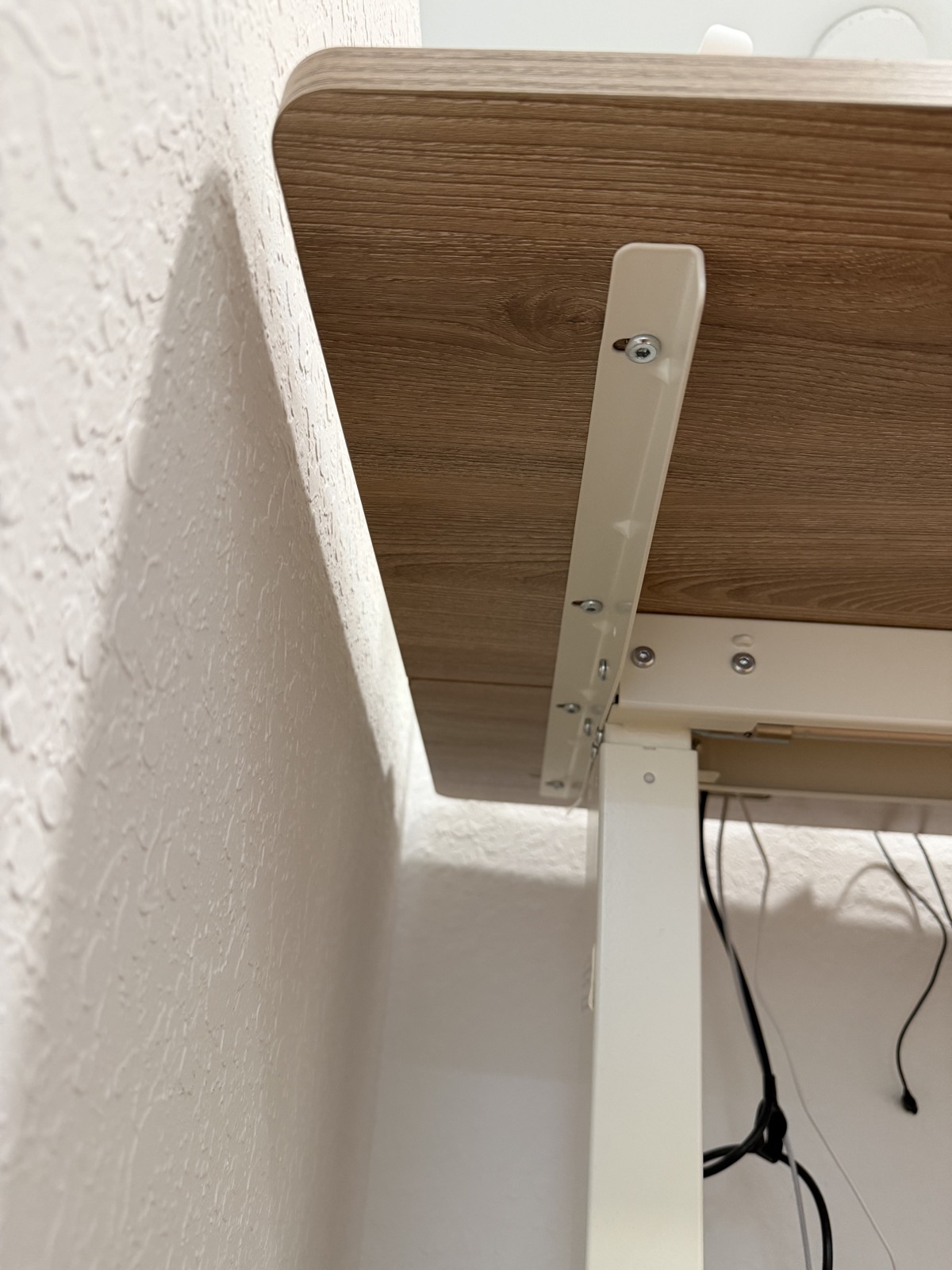
On many standing desks, the top is attached to the frame with bolts or screws, so a handy DIY owner may be able to attach a custom wood top. That is different from promising that a specific OEM replacement is easy to source.
For the SHW, I would treat exact replacement compatibility as separate research. A custom top may be straightforward for someone comfortable measuring, drilling pilot holes, checking overhang, and confirming the frame can support the size and weight. Finding the exact manufacturer replacement top may be much less straightforward.
Where researched alternatives fit
UPLIFT's current V3 is the natural current successor to my older V2 C-Frame, but I have not personally owned the V3. I would present it as the current UPLIFT path to research, not as the exact desk I bought.
One reason to use UPLIFT's own configurator is that the customization options are extensive. If you are spending this much on a main desk, I would take time to choose the top, size, frame, keypad, grommets, and cable-management pieces around the way you actually work.
FlexiSpot's E7 was one of the alternatives I researched when deciding whether to pay more for the UPLIFT. It has a broad published height range and a long advertised warranty, but I would not claim its surface feel, controls, or stability match UPLIFT without testing it.
Choose in this order
Start with fit. The keyboard should be able to reach roughly elbow height while seated and standing, and the published range may be frame-only or complete-desk depending on the brand.
Then check footprint and work surface. Painter's tape on the floor is more honest than product photos: make sure the room can handle the width, depth, chair movement, and walking clearance.
Only after that would I compare surface construction, front edge comfort, stability at your standing height, controls, warranty, returns, replacement parts, and cable management.
Standing is not the whole health story
I would avoid promising that a standing desk is a health fix. Standing is useful because it helps you change posture and reduce uninterrupted sitting, not because standing still is exercise.
A 2025 systematic review found sit-stand desk interventions can reduce sedentary behavior during work and across the day, while still noting uncertainty around long-term effects outside the workplace. That is the right level of claim for this article.
For me, the strongest argument is comfort and movement, not magic. A desk that feels good makes it easier to change position during the day.
My buying checklist
Before buying, I would check the surface before the marketing language: one-piece versus two-piece top, material, thickness, finish, front edge shape, and whether the exact size fits the room.
Then I would check the ergonomics: minimum seated height, maximum standing height, monitor depth, keyboard and mouse position, and whether the front edge will contact your forearms.
Finally, I would check the boring ownership details: warranty length, what the warranty excludes, return freight, replacement parts, controller style, cable tray options, and whether the seller/variant is the one you actually intend to buy.
What Would Change My Mind
I would change the recommendation if the desk is temporary, the budget is tight, the room cannot fit a larger top, the minimum height does not fit the user, or the buyer already has a desktop surface they love. I would also revisit it if current prices, warranties, seller terms, or replacement-top compatibility change materially.
Products Mentioned
Product links point to official or retailer pages for the exact products discussed where possible. Prices, configurations, seller details, and return terms can change.
My pick for a main workstation
UPLIFT V3 Bamboo Standing Desk
My desk is an older UPLIFT V2 C-Frame with a 72 x 30 inch / 183 x 76 cm Bamboo Curve top. UPLIFT's current V3 bamboo desk is the closest current model family I would compare today, and the UPLIFT configurator is the path I would use because the customization options are the point.
Budget desk I own
SHW 55 x 28 inch electric height adjustable standing desk
Purchased in June 2020. My unit's lifting mechanism still works well, but the two-piece laminated MDF-core top has a visible center join and a squared front edge.
Researched value alternative
FlexiSpot E7
The E7 was a relevant researched alternative with a broad height range and long advertised warranty. I have not owned or tested its surface feel, controls, or standing stability. The Amazon affiliate option I found is the E6 Bamboo 60 x 30, not the same E7 model.
Sources
- SHW 55 x 28 inch electric height adjustable standing desk
- UPLIFT V3 standing desks
- UPLIFT V3 bamboo standing desk
- UPLIFT bamboo desktops
- UPLIFT V3 frame specifications
- FlexiSpot E7 standing desk
- OSHA computer workstation purchasing guide
- OSHA workstation desk guidance
- 2025 systematic review on sit-stand desks and sedentary behavior